 At Structure, the mission has always been to provide reliable, professional-grade tools for personalized healthcare. With the release of Structure Capture 2.4, we’ve officially moved beyond the demonstration phase of the original Scanner app and into a fully supported, industrial-strength application.
Whether you are an orthotist, a researcher, or a clinician, this update is designed to simplify your workflow while significantly increasing the quality of your data.
Structure Capture 2.4: A Pro-Grade Overhaul
The original Scanner app served as a sample for developing custom applications. However, Structure Capture 2.4 is a complete overhaul built specifically for professionals.
Here are the key upgrades:
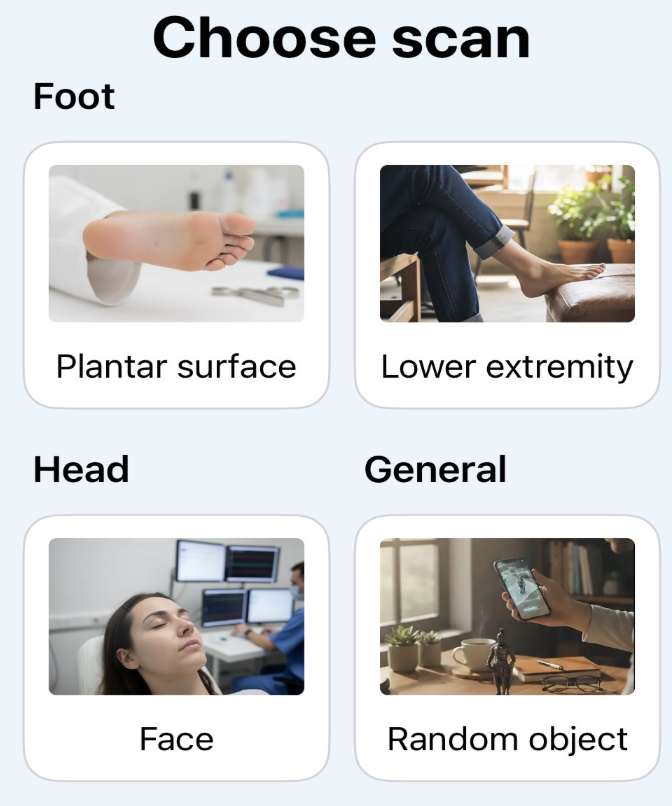
1. Specialized Scanning Modes
- Plantar Mode: Optimized for high-detail foot scans.
- Lower Extremity Mode: Tailored for leg and lower body scanning.
- Face Mode: Perfect for head and facial topography.
- General Mode: A versatile setting for everything else.
2. Persistent Scan Settings
In Structure Capture 1.0, you often had to reset your parameters every time you opened the app. In Structure 2.4, your customizations stay put. This allows for easy handoffs between staff members without needing to tweak settings every session.
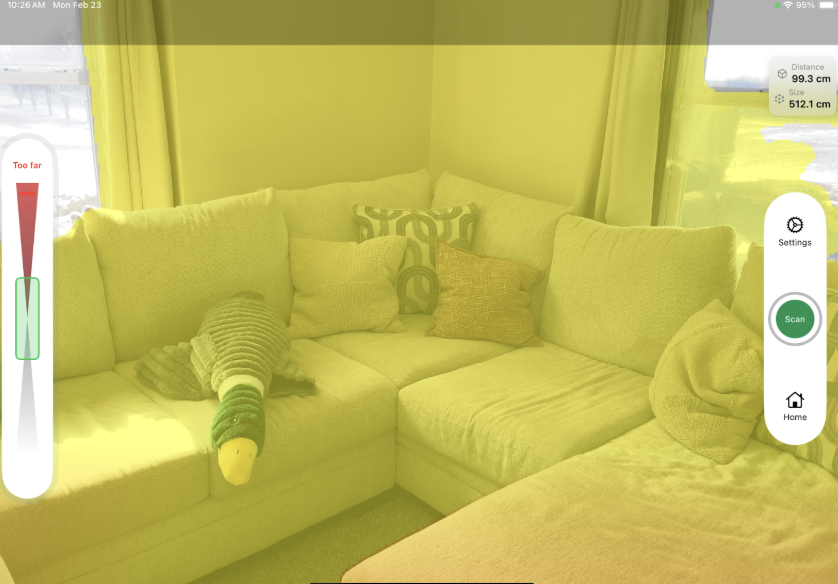
3. Distance Guidance Indicators
Never guess your range again. The app now provides real-time feedback to ensure you stay in the "sweet spot" for the Structure Sensor, Apple LiDAR, or TrueDepth cameras. This eliminates the "too close/too far" errors that used to plague scans.

4. Interactive Setup Checklists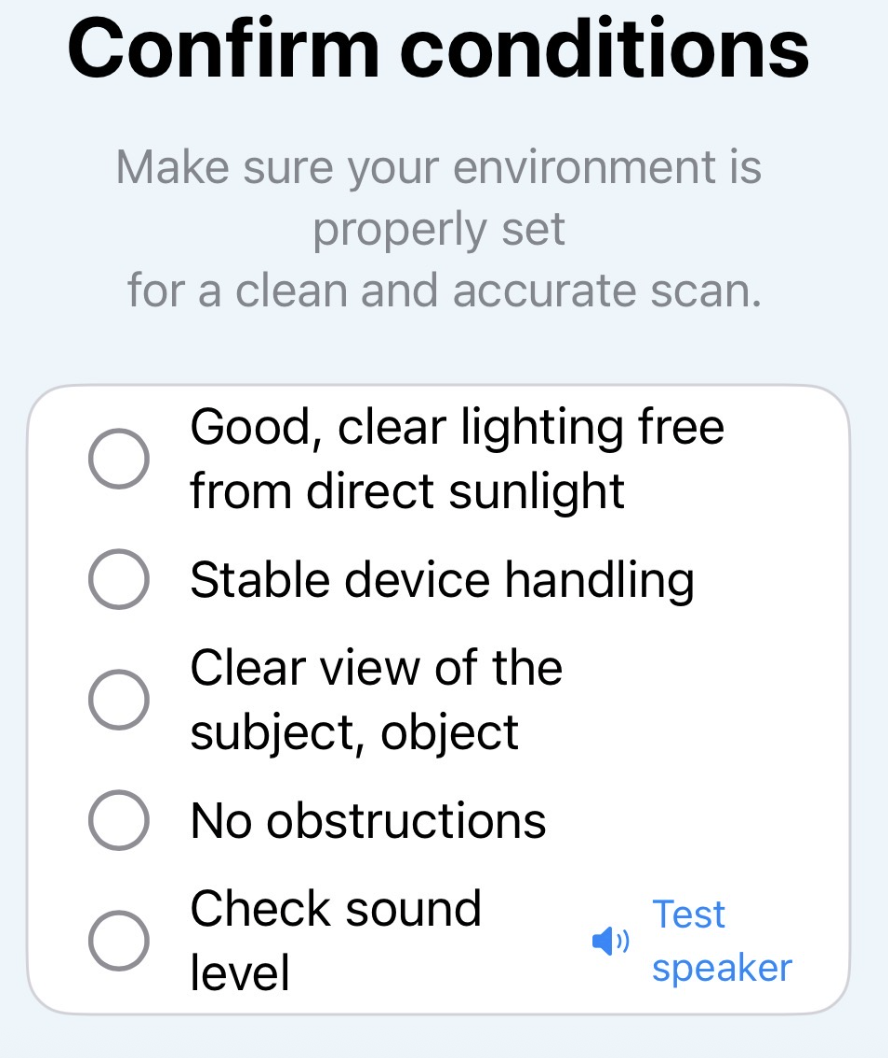
The right environment is half the battle. New built-in checklists ensure your lighting, distance, and hardware are optimal before you even tap the "Start" button.
5. LiDAR Support
Now enabled for room-scale or large object captures—perfect for documenting clinical spaces.
The Hardware Edge: Structure Sensor 3
Structure Capture 2.4 is purpose-built to harness the power of the Structure Sensor 3.
|
Feature |
Structure Sensor 1.0 / Pro |
Structure Sensor 3 |
|
Precision |
Standard |
.08mm (Scientific Grade) |
|
Resolution |
Baseline |
4x higher than original |
|
Processor |
Standard |
On-board Neural Processor |
|
Durability |
Plastic/Standard |
Rugged Aluminum Chassis |
|
Environment |
Indoor Only |
Daylight Ready (Direct Sunlight) |
"Point and Shoot" Simplified Mode
By utilizing Structure Sensor 3’s neural processor, Structure Capture 2.4 now offers a Simplified Mode. This abstracts away technical settings like gain and exposure, allowing the sensor to behave more like an autofocused 3D camera, adapting to dark surfaces (like carbon fiber) and varying lighting conditions automatically.
Mastering the Scan: Critical Set-up
To get the most out of Structure Capture 2.4, it’s important to understand the Bounding Box.
The Bounding Box & Color Overlay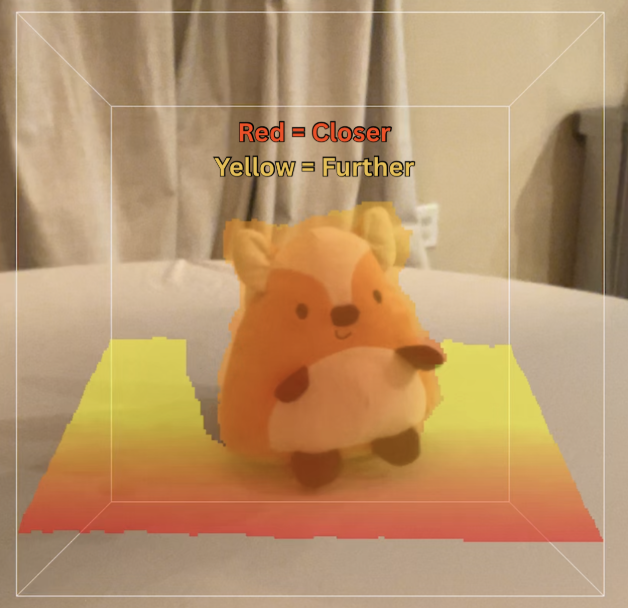
The bounding box defines the scan area. In Structure Capture 2.4, we use a color overlay to help you position the subject:
- Deep Red/Orange: The "Sweet Spot." Parts of the subject in this color are at the optimal distance for high-detail capture.
- Yellow: The subject is too far away.
- Tip: Use two fingers to resize the box. Keep it as tight to the subject as possible to reduce "noise" and save processing power.
Quick Step-by-Step for Success
- Prepare: Ensure your iPad is calibrated using the Calibrator App.
- Initialize: Open Structure Capture 2.4 and select your sensor.
- Position: Use the Distance Guidance Indicator to find the red/orange overlay zone.
- Capture: Tap the blue button and move in a smooth 360° arc. Avoid jerky movements.
- Finish: Tap the paintbrush icon to apply texture and fill holes before exporting.
Pro Tip: If you are scanning a foot "floating" in the air, ensure "Align with Camera" is turned ON in the settings. This keeps the bounding box locked to your view rather than the floor.
Ready to Modernize Your Workflow?
You can try Structure Capture for 30 days on us. As for the Sensor 3, click here to get more information.